
Have you ever tried to upload a photo to a website, marketplace, or online form, only to be rejected because the file size is "too large"? Well, that's where people often get confused between two terms that are often mistaken for the same thing, but are actually different: photo compression and photo resizing.
Many people think these two methods are identical. However, they have different methods, goals, and end results. If you choose the wrong method, your photos could end up pixelated, blurry, or even too large to upload.
In this article, we'll thoroughly discuss the differences between photo compression and resizing, when to use which, and how to achieve smaller photos while maintaining high quality. If you need a quick solution, you can try free online photo compression without installing any apps.
What is Photo Compression?
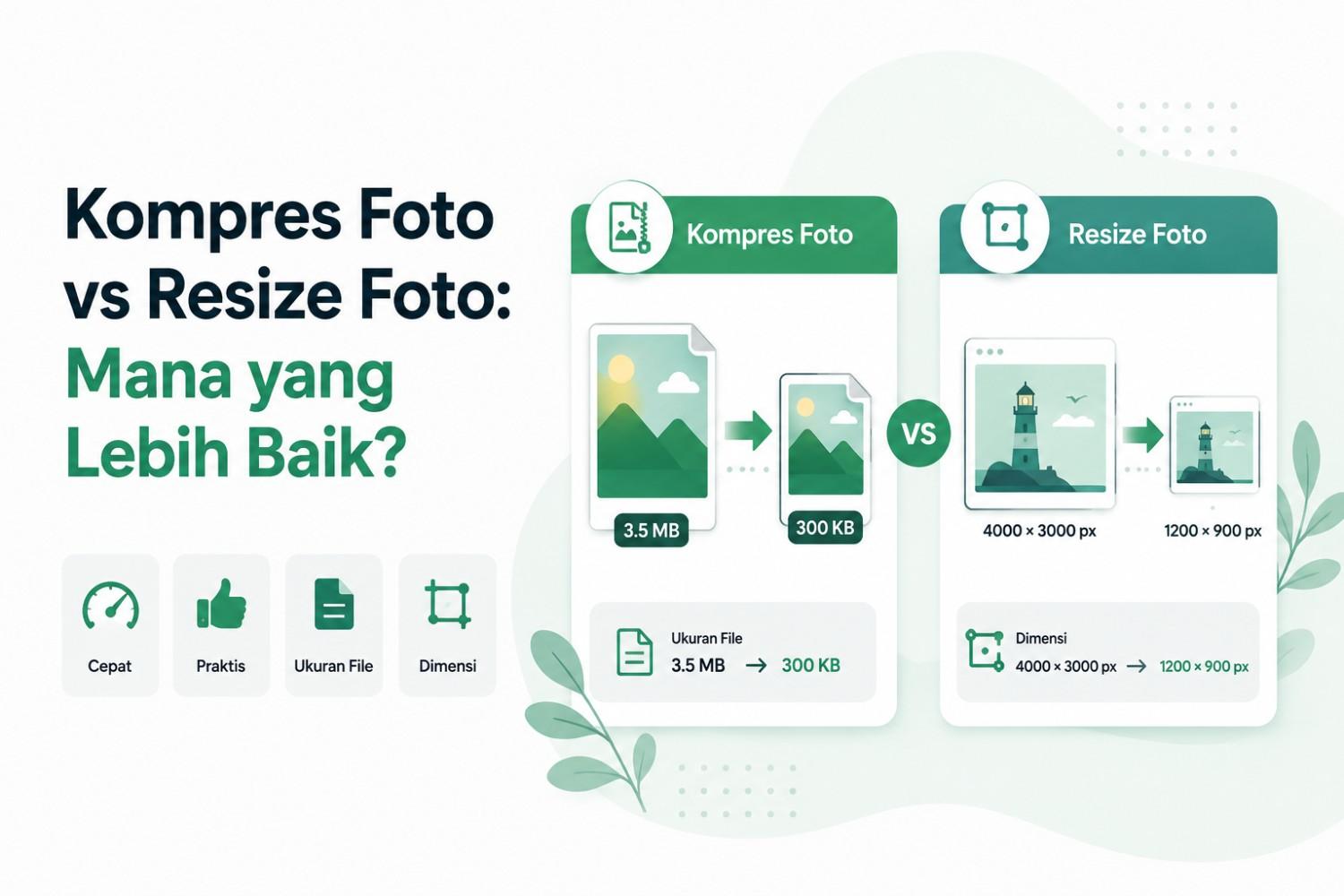
Photo compression is the process of reducing the size of an image file (in KB or MB) by compressing the data within it without significantly changing the image's dimensions or resolution. This means the image's width and height remain the same, but the file's weight is significantly reduced.
This process works by removing data deemed visually "less important," particularly in JPG or JPEG formats. There are two types of compression you should be aware of:
- Lossy compression — reduces a small amount of image detail to achieve a much smaller file size. It's typically used for JPG images because the quality loss is barely noticeable to the naked eye.
- Lossless compression — compresses files without losing any detail, but the resulting size reduction is not as significant as lossy methods. Typically used for PNG formats.
A simple example: your vacation photos are 4 MB in size. After compression, they can be reduced to 200 KB or even smaller, yet they still look crisp and clear on the screen.
This photo compression is very useful for:
- Upload documents on government websites, scholarships, or job applications that limit file size
- Uploading a profile photo in an app that has a maximum size limit
- Speed up website loading time without sacrificing image display
- Save storage space on your phone or cloud storage
What is Photo Resizing?
Unlike compression, photo resizing is the process of changing an image's dimensions or resolution, namely the number of pixels a photo is wide and high. When you resize a photo, you actually reduce (or increase) the number of pixels that make up the image.
For example, an original photo measuring 4000 x 3000 pixels is resized to 1200 x 900 pixels. Because the number of pixels is drastically reduced, the file size also decreases, but this is a side effect, not the primary goal.
Resizing photos is usually done to:
- Adjust photo dimensions to the needs of a specific platform, such as a LinkedIn profile photo, YouTube thumbnail, or website banner
- Make the image fit the design template (e.g. 1080×1080 size for Instagram)
- Reduce the resolution so that the file is lighter when edited in design software
- Adjust photos to print specifications, such as passport size photos 3×4 or 4×6
It's important to remember that random resizing without maintaining the aspect ratio can make photos appear flattened or stretched disproportionately. This differs from compression, which maintains the exact same shape.
The Main Differences Between Photo Compression vs Photo Resizing
To make it clearer, here is a comparison table between photo compression and photo resizing:
| Aspect | Photo Compression | Resize Photos |
| The main purpose | Reduce file size (KB/MB) | Change dimensions/resolution (pixels) |
| Image dimensions | Remains the same | Change, smaller or bigger |
| Visual quality | Slightly changed (depending on compression level) | It can drop drastically if the resolution is reduced significantly |
| Suitable for | Upload documents, forms, websites | Adjusting the display size on certain platforms |
| Effect on display | The photo still looks the same visually | Photos may appear smaller than the original |
| Example of use | Reduce the size of your KTP photo to under 200KB | Make a profile photo that fits 500×500 pixels |
In short, if you want a smaller file size but still want the photo to look and feel the same, use compression. If you want to change the shape or proportions of the photo to suit the platform's needs, use resizing.
Which is Better: Compressing Photos or Resizing Photos?
This question isn't really apt to be answered with "one is better than the other," as they both serve different functions and can complement each other. But to make it easier to decide, here's a guide:
Select Compress Photo If:
- You need to upload documents with a certain file size limit, for example a maximum of 200KB or 1MB
- The photo dimensions are right, you just need a lighter file size
- You don't want the shape or appearance of the photo to change at all
- You want to speed up loading of website pages without changing the image layout
Select Resize Photo If:
- You need specific photo dimensions for printing, thumbnails, or design templates
- The photo is too large in resolution and does not fit the platform's required size
- You want to create several versions of a photo with different sizes for different purposes
Combination of Both: The Most Optimal Solution
In many real-world situations, the best approach is to combine resizing and compression. For example, suppose you have a very high-resolution photo taken with your phone camera and a file size of 8MB. To upload it to an online form that limits the file size to 200KB, you could:
- First, resize the photo dimensions so that it is not too big (for example, to 1000×750 pixels)
- Then compress the photo so that the size drops to below 200KB
This method provides optimal results because image quality is maintained even though the file size is already very small. You can perform this process easily and for free via kompresjpg200kb.com, without the need to install additional software on your laptop or phone.
Photo Compression vs Photo Resizing to 200KB Size
If you're presented with the requirement: "Maximum photo size 200KB," then the first thing to consider is file size. Therefore, photo compression is the primary method.
You can follow a complete guide on how to reduce photo size to 200KB online if you need to get your files within the upload limit. However, what if compression alone isn't enough?
For example:
- original photo 10 MB;
- dimensions 6000 × 4000;
- maximum target 200 KB.
In such conditions, reducing the dimensions first can help.
For example:
6000 × 4000 → 1600 × 1067
Then compress it. This often makes more sense than maintaining a very high resolution that's not really needed for online forms.
Why Is Photo Size Important for Websites and SEO?
Besides document uploading, photo size also significantly impacts website performance, particularly in terms of SEO and user experience. Here's why:
Page loading speed: Google considers website speed a key ranking factor. Heavy images are a major cause of slow websites.
Core Web Vitals: Metrics like Largest Contentful Paint (LCP) are heavily influenced by image size. Uncompressed photos can negatively impact Core Web Vitals scores.
Mobile user experience: Many users access websites over unstable cellular networks. Lightweight images keep pages loading quickly even on slow internet connections.
Server bandwidth savings: the smaller the image file size, the lighter the server load when many visitors access the page simultaneously.
Therefore, many website owners and bloggers routinely compress images before uploading them, especially for product photos, article thumbnails, or large numbers of illustration images on one page.
Compress Photos or Resize for Social Media?
For social media, resizing is often useful when the platform requires specific image ratios or dimensions. For example, profile photos typically have a different shape and size than landscape images. However, compression can also be used to streamline uploads.
In practice, many platforms already process images after the file is uploaded. However, preparing photos with the appropriate dimensions before uploading can give you more control over the final result.
Common Mistakes When Resizing Photos
1. Assuming KB is the Same as Pixel
200KB doesn't mean 200 × 200 pixels. KB is the file size. Pixels are the image dimensions.
2. Compressing Too Much
Too high a compression level can make the image look blurry. If the file has reached the required size, you don't need to continue compressing it.
3. Resize Too Small
Don't resize an image to a very small size if you need to enlarge it later. Details lost due to resizing cannot be completely restored by simply enlarging the image again.
4. Not Checking Upload Requirements
Before changing the image, see if the platform asks for:
- maximum KB size;
- certain dimensions;
- certain formats;
- certain photo ratios.
5. Compressing Files Repeatedly
JPGs that are compressed and resaved repeatedly can experience gradual quality degradation. If possible, start over from the original file.
6. Ignoring File Format
Don't change the format just to get a small file if the destination platform requires a specific format.
Frequently Asked Questions (FAQ)
1. What is the difference between compressing photos and resizing photos?
Photo compression reduces the file size (KB/MB) without changing the image dimensions, while photo resizing changes the image dimensions or resolution (pixels), which usually also impacts the file size.
2. Does compressing photos reduce image quality?
Yes, but usually the reduction is very small and almost invisible to the eye, especially if using a reasonable and not excessive compression level.
3. Can resizing a photo reduce the file size to below 200KB?
Yes, but it's not always accurate. Resizing is more suitable for changing dimensions, but for specific file size targets like 200KB, the most accurate method is photo compression.
4. Which is better for uploading documents online, compressing or resizing?
To upload documents with a certain file size limit, compressing photos is a more appropriate choice because the photo dimensions are maintained and only the file size is reduced.
5. Is it possible to compress and resize photos at the same time in one process?
Yes. Combining resizing and compression is the most effective way to achieve smaller photos while maintaining good visual quality.
6. What is the best format for compressing photos?
The JPG or JPEG format is most commonly used because it supports lossy compression with the resulting file size being much lighter than other formats such as PNG.
Conclusion
So, in the debate between photo compression and resizing, there's really no absolute "better"; it all depends on your needs. If your goal is to reduce the file size without changing the appearance of the photo, use compression. If your goal is to change the dimensions or proportions of the image to suit a specific platform, use resizing.
For optimal results, especially when you need photos with very small file sizes, such as under 200KB, while maintaining quality, a combination of resizing and compression is the best solution. You can try it for free and quickly at kompresjpg200kb.com without registering or installing additional applications.